
Tooling
Yerd can install the developer tools a typical PHP/Laravel/WordPress project reaches for - Composer, Node.js (with npm/npx), Bun, the Laravel installer, and WP-CLI - the same way it installs PHP versions: self-contained binaries fetched on demand (the Laravel installer and WP-CLI are built via Composer) and dropped onto your PATH. No system package manager, no global install, nothing to uninstall by hand. Already have one installed elsewhere? Yerd detects it and, for most tools, uses it instead.
| Tool | id | Provides | Source |
|---|---|---|---|
| Composer | composer | composer | getcomposer.org (phar) |
| Node.js | node | node, npm, npx | nodejs.org (latest LTS) |
| Bun | bun | bun, bunx | github.com/oven-sh/bun |
| Laravel installer | laravel | laravel | Composer (laravel/installer) |
| WP-CLI | wp-cli | wp | Composer (wp-cli/wp-cli-bundle) |
Why bundle these?
A fresh machine that has Yerd shouldn't also need Homebrew, nvm, or a global Composer just to run a Laravel app with a Vite front-end. Yerd keeps these tools in its own data directory, isolated from anything else on your system, and removes them cleanly on uninstall.
In the desktop app
Open the Tooling page from the sidebar (under the Developer group). It lists the developer tools Yerd manages and their install status:
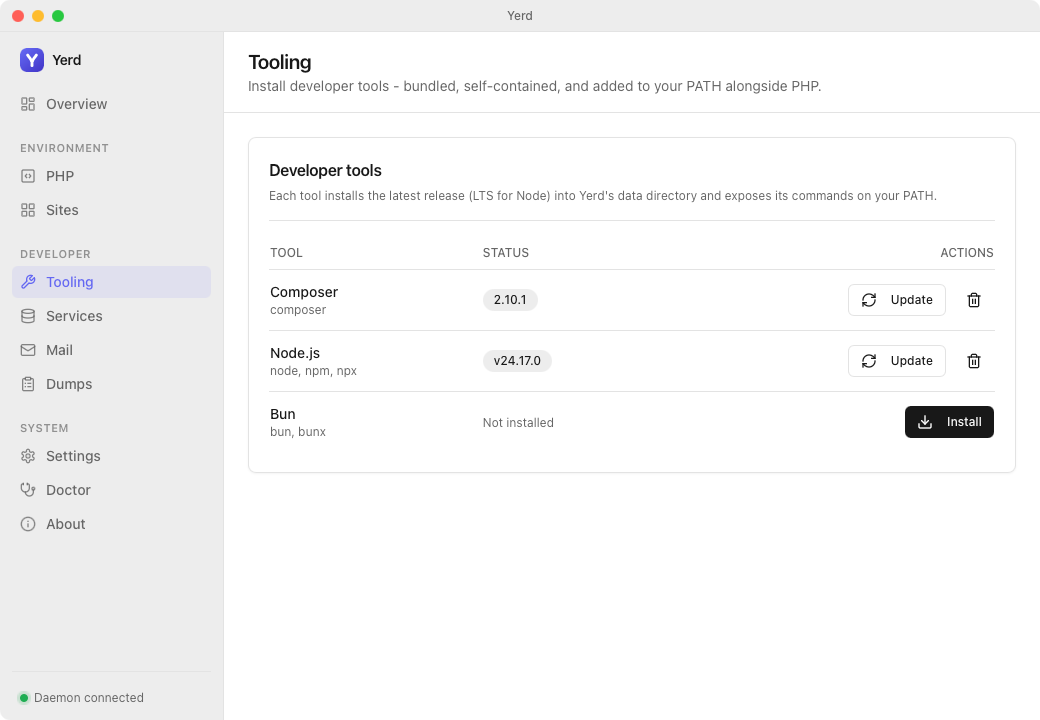
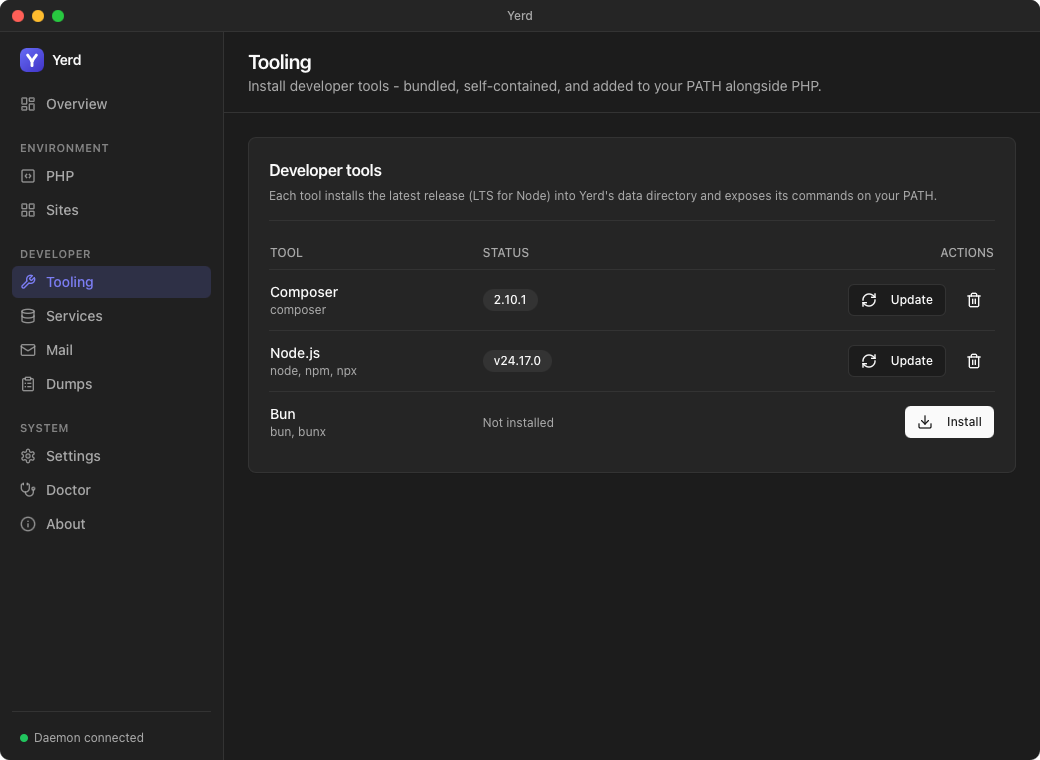
- Composer, Node, Bun, the Laravel installer, and WP-CLI, each showing the commands it provides.
- Click Install to fetch the latest release; once installed you get Update (re-fetch the current latest) and Uninstall.
- A tool you've installed yourself shows an External badge and a Managed by you note. Install is still offered, so you can take Yerd's own copy as well - see External tools below.
- The Laravel installer and WP-CLI are built with Composer, so their Install button stays disabled until Yerd's own Composer is installed.
- Each tool is placed on your
PATHalongside PHP and managed entirely by Yerd, so it won't collide with a system install.
From the command line
yerd tools                      # list the tools and their install status
yerd install tool node          # download + install the latest Node LTS
yerd install tool bun
yerd install tool composer
yerd install tool laravel       # build the Laravel installer (needs Composer)
yerd install tool wp-cli        # build WP-CLI (needs Composer)
yerd uninstall tool bun         # remove a tool and its PATH commands
yerd install tool <id> is idempotent - run it again to update to the current latest. See the Tooling CLI reference for the exact command surface.
Updating WP-CLI
Because Yerd's wp-cli is a Composer install rather than a phar, WP-CLI's own wp cli update (its phar self-update subcommand) isn't applicable and will error - use yerd install tool wp-cli (or Update on the Tooling page) instead, the same way you wouldn't run composer self-update on Yerd's managed Composer.
External tools
You don't have to let Yerd manage most of these tools. If you already have composer, node, bun, or the laravel installer available on your PATH - via Homebrew, nvm/fnm, a global composer require, etc. - Yerd detects it and treats it as already available:
- On the Tooling page the tool shows an External badge (instead of a version) and a Managed by you note - it's yours to manage, not Yerd's. You can still press Install to take Yerd's own copy alongside it, which you'll need if you want Yerd to build the Laravel installer or WP-CLI.
- The Laravel site wizard and site scaffolding accept external Composer / Node / Bun / Laravel as satisfying their prerequisites, so you won't be asked to install a second copy. Externally installed Composer and the Laravel installer still run under the Yerd PHP version you select, so versions stay consistent.
A couple of things to know:
- WP-CLI is the exception: an external
wpdoesn't count. Yerd runs WP-CLI by executing its own build directly rather than by callingwpon yourPATH, so it always needs its own copy and never reports one you installed yourself as External. Yourwpkeeps working exactly as before; the WordPress site wizard will simply offer to install Yerd's WP-CLI as a prerequisite. - Managed tools win. If a tool is both Yerd-installed and on your
PATH, the Yerd-managed one takes precedence (its{data}/binshim is earlier onPATH). That includescomposer, so installing Yerd's copy changes whichcomposeryour other projects get. - Building the managed Laravel installer or WP-CLI needs Yerd's own Composer. An external Composer is fine for scaffolding, but it can't build Yerd's managed
laravel/wp-clitools - so their Install stays disabled until you install Yerd's Composer. For the Laravel installer you can skip that entirely and keep using your external copy; WP-CLI has no such fallback, per the exception above.
How detection works
Because the daemon runs with a minimal environment, Yerd reads your login shell's PATH to find tools your terminal can see (Homebrew, fnm, a global Composer bin, …). It only looks outside its own {data}/bin, so a Yerd shim is never mistaken for an external install.
How it works
The model mirrors PHP versions and services:
- Self-contained binaries. Each tool is a relocatable build - Node's tarball bundles
node+npm+npx, Bun is a single binary, Composer is a phar run by Yerd's managed PHP. Nothing is compiled and nothing touches system paths. - Verified downloads. Every artifact is checked against the publisher's
SHASUMS256.txt(Node, Bun) orcomposer.phar.sha256sum(Composer) before it is installed. - Installed under Yerd's data dir. Tools live in
{data}/tools/<id>/(e.g.~/Library/Application Support/io.yerd.Yerd/toolson macOS), a sibling of your PHP installs - so a PHP update never disturbs them. - Exposed on
PATH. Their commands are symlinked into{data}/bin, the same directory that holds thephp/php<ver>shims. Put that directory on yourPATHonce (see below) andcomposer,node,npm,bun, … just work. - Rootless. Everything runs as your user, no elevation.
Latest only
Yerd installs the latest stable release of each tool (the latest LTS for Node). There is no per-project version picker - Update simply re-fetches the current latest and replaces it in place. If you need to pin a specific Node version per project, a system version manager like nvm/fnm is still the right tool; Yerd's goal here is a good default that's always there.
Put Yerd's bin directory on your PATH
The tool commands live in Yerd's {data}/bin directory. Installing your first tool from the CLI adds it to your shell automatically - so usually there's nothing to do. If you installed via the desktop app, or want to manage the entry yourself, run it once:
yerd path install # adds {data}/bin to your shell startup fileOpen a new terminal afterwards (or source your shell file). Then:
which composer        # → …/io.yerd.Yerd/bin/composer
node --version
npm --version
bun --version
yerd path install writes a small, guarded block to your shell's startup file (.zshrc, .bashrc/.bash_profile, or config.fish). yerd path uninstall removes it; yerd path print shows the snippet without touching any file.
Coexisting with Herd, Homebrew, or nvm
Yerd's bin directory is prepended to PATH, so its node/composer take precedence over other copies on your machine. If you'd rather your existing tools win, put their directories earlier in your shell file. Nothing Yerd installs ever shadows a tool you didn't ask it to manage.
Composer needs PHP
Composer is a phar, so it runs under Yerd's managed PHP - composer resolves to your default PHP version. Install at least one PHP version first (yerd install php 8.4); otherwise composer reports that no PHP is available. Node and Bun are standalone and have no such dependency.
ext-intl and friends
Yerd's PHP builds ship the bulk extension set, including intl, sodium, mysqli, and more - so Composer packages that require them install without extra steps. See PHP Versions for the bundled extension list.
Where things live
| Path | Contents |
|---|---|
{data}/tools/composer/composer.phar | The Composer phar. |
{data}/tools/node/node-<ver>-<os>-<arch>/ | The unpacked Node distribution. |
{data}/tools/bun/bun-<os>-<arch>/bun | The Bun binary. |
{data}/tools/laravel/bin/laravel | The Laravel installer (built via Composer). |
{data}/tools/wp-cli/vendor/wp-cli/wp-cli/php/boot-fs.php | WP-CLI (built via Composer). |
{data}/bin/{composer,node,npm,npx,bun,bunx,laravel,wp} | The PATH shims. |
{data} is Yerd's per-user data directory (yerd status and yerd path print both show the exact path for your platform).
See also
- Tooling CLI reference - every command and flag.
- PHP Versions - the version model these tools follow.
- Services & Databases - the same install-on-demand approach for databases and caches.