
Services & Databases
Yerd installs and supervises local database, cache, and search engines as native, per-user processes - the way DBngin does, but folded into the same yerdd daemon that already runs your sites, PHP, HTTPS, and DNS. No Docker, no containers, no VM. A single yerd status shows the whole stack.
The five engines:
| Service | id | Kind | Default port |
|---|---|---|---|
| Redis (Valkey) | redis | Cache / key-value | 6379 |
| MySQL | mysql | SQL database | 3306 |
| MariaDB | mariadb | SQL database | 3306 |
| PostgreSQL | postgres | SQL database | 5432 |
| Meilisearch | meilisearch | Search index | 7700 |
Redis is served by Valkey
The redis slot is filled by Valkey, the BSD-licensed fork, because recent Redis releases are no longer cleanly redistributable. It is wire-compatible, so your Redis clients work unchanged. Yerd shows it as Redis (Valkey).
Engine availability
All five engines are implemented end-to-end. Whether a specific engine/version installs depends on whether a prebuilt build is published for your platform in Yerd's hosted distribution - run yerd service available to see what you can install right now. MySQL/MariaDB share port 3306, so only one can be enabled on it at a time.
How it works
Service support follows the same model as PHP versions:
- Native processes, not Docker. Prebuilt binaries are downloaded on demand from Yerd's own hosted distribution, then run as your user on loopback.
- Supervised.
yerddruns one process per enabled service, restarts it on crash with backoff, and reports health - the same supervision substrate the PHP pools use (yerd-supervise). - Rootless. Everything runs as your user with no elevation. See the privilege model.
- Local-dev posture. Engines bind to loopback only and accept passwordless connections from your user. This is convenient for local development and is not meant to be exposed to a network.
In the desktop app
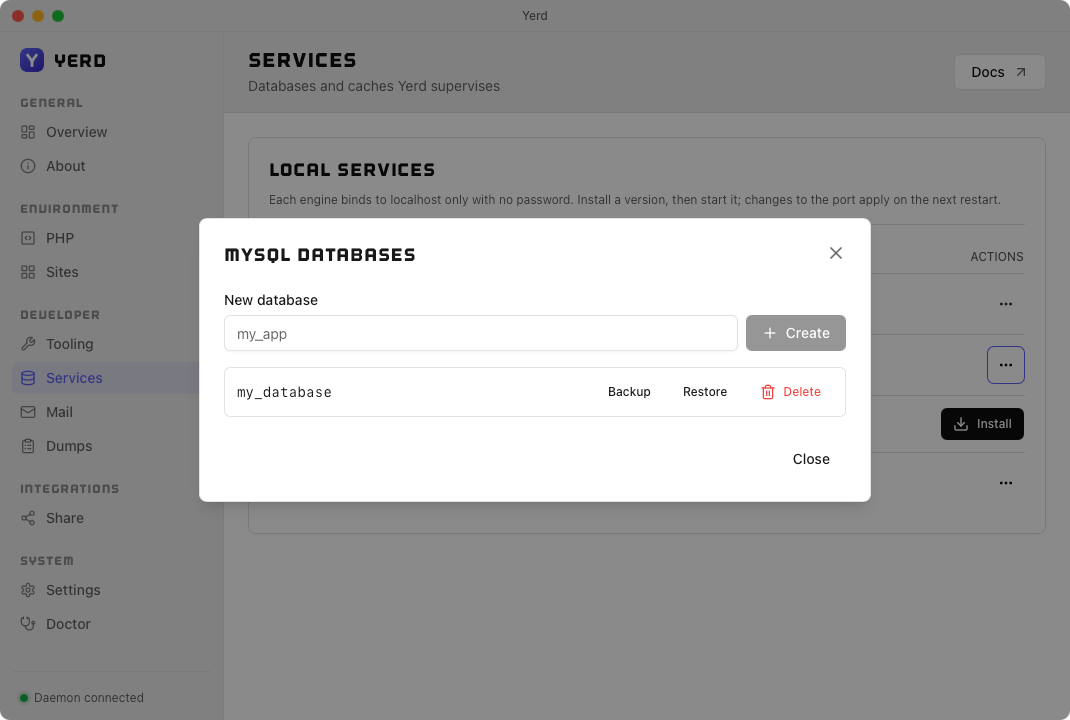
The desktop app surfaces every engine on its Services page, under the Developer group in the sidebar. Install a version, then Start / Stop / Restart it inline - no terminal needed. The daemon auto-starts every installed engine on boot, so what you install stays running across reboots.
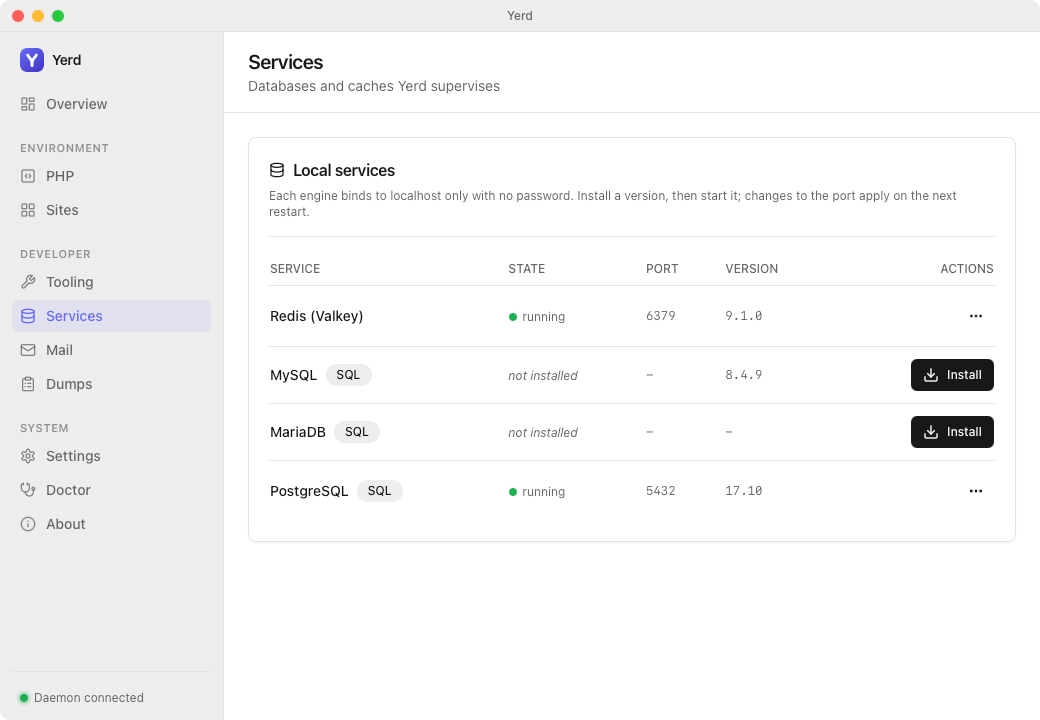
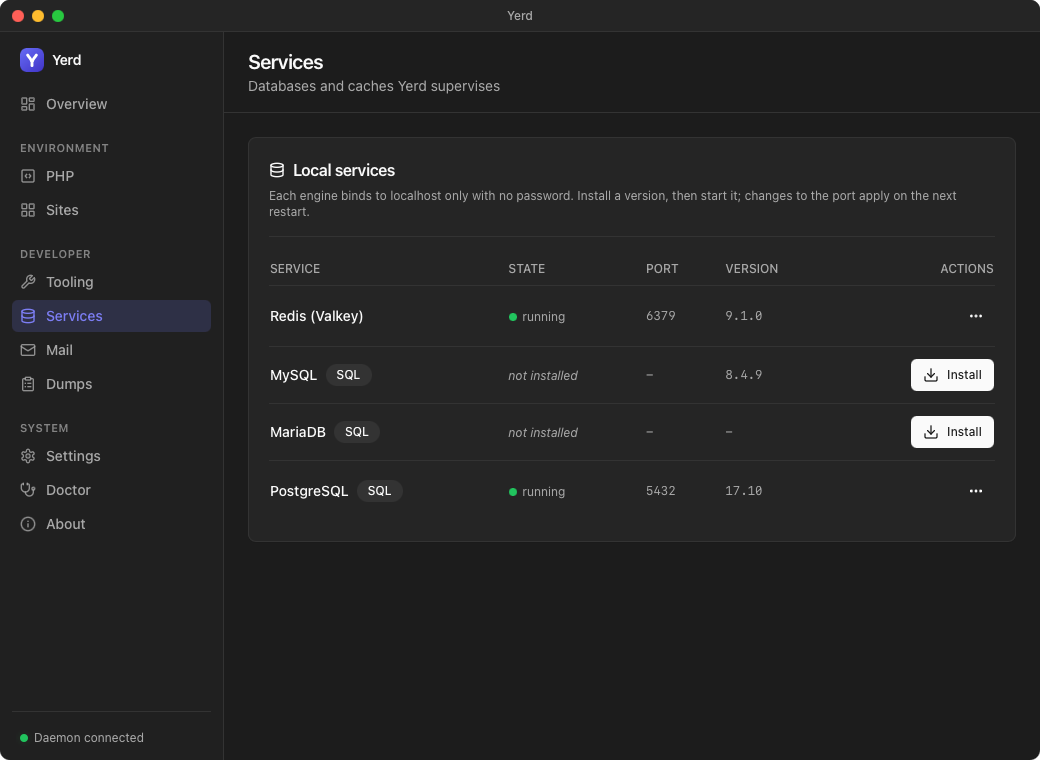
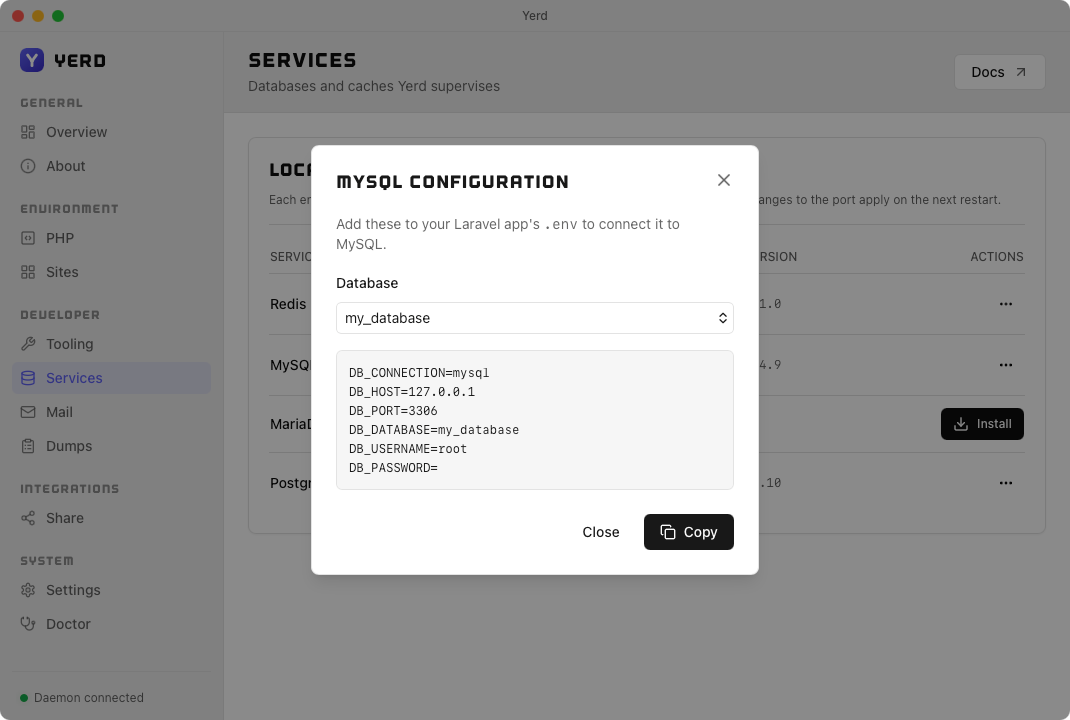
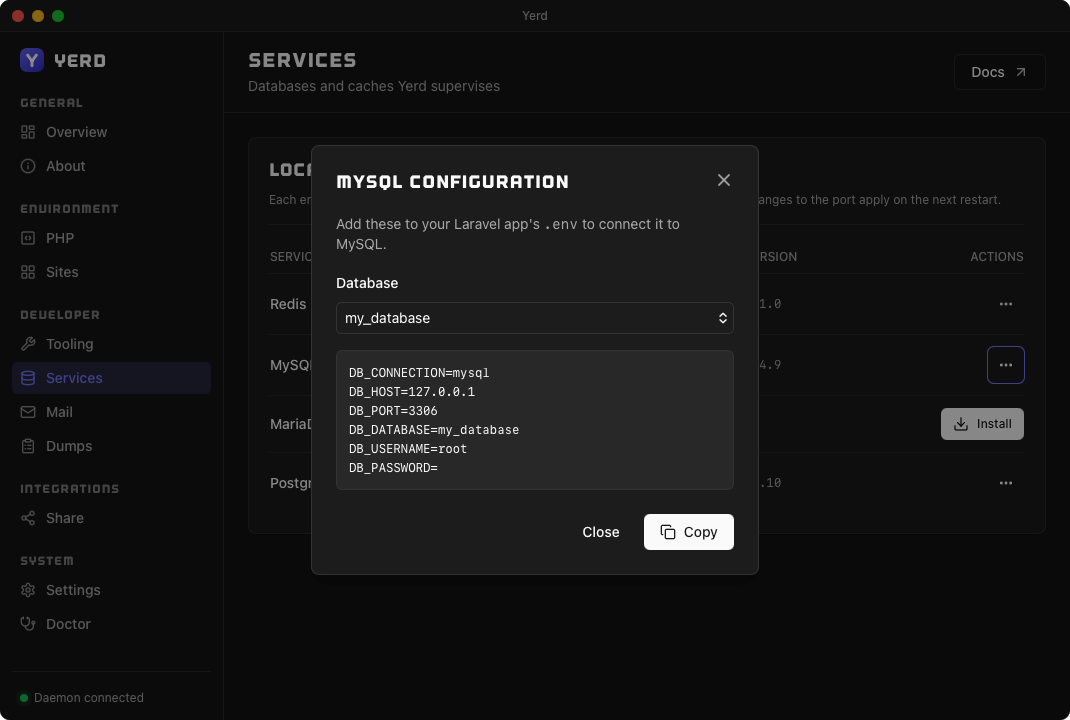
Each installed engine's ⋯ menu offers:
- Configuration - copies a ready-made Laravel
.envfor that engine, with a database picker that pre-fillsDB_DATABASEfor the SQL engines. - Edit port - change the loopback port (applies on next start).
- View logs - tail the service log.
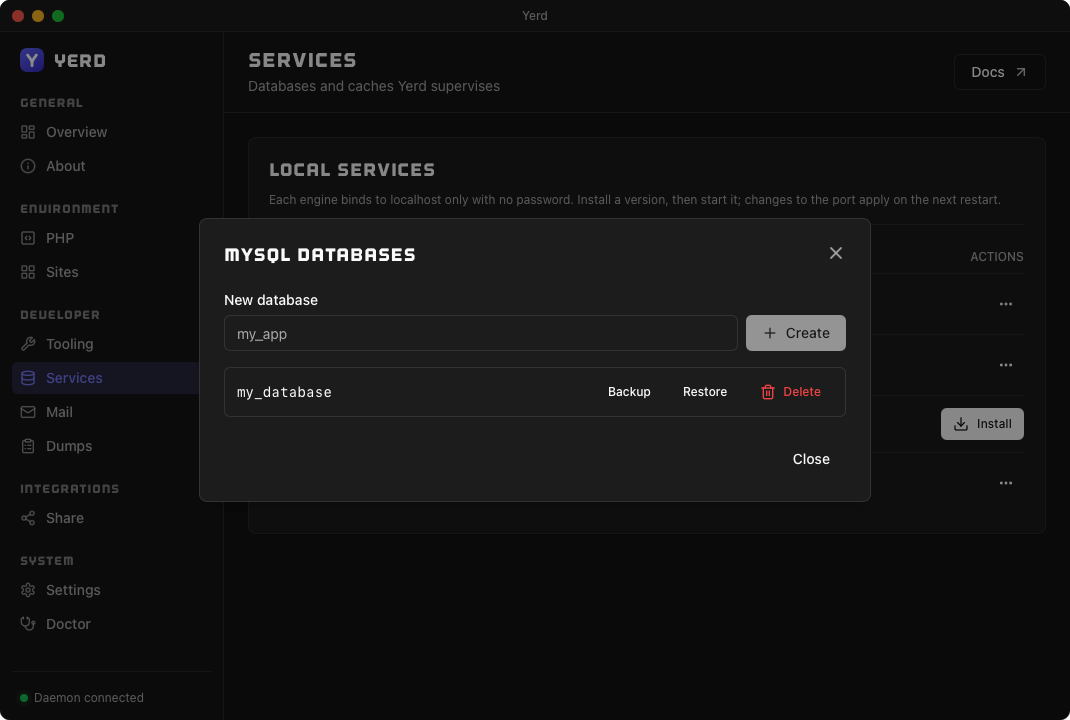
- Manage databases - create, drop, back up, and restore databases (SQL engines only).
- Change version - upgrade in place, keeping your data.
- Uninstall - remove the engine.
From the command line
Managing services
yerd service available            # versions installable for your platform
yerd service install redis 8      # download, install, and start
yerd service install postgres 17-full  # PostGIS build (see below)
yerd services                     # list everything: version, state, port

yerd service start redis        # start it now
yerd service stop redis         # stop for this session (returns on next daemon start)
yerd service restart redis

yerd service set-port redis 6380   # change the loopback port (next start)
yerd service logs redis --lines 50 # tail the service log

yerd service change-version redis 8.1   # upgrade in place, keep data
yerd service uninstall redis 8          # remove binaries, keep data
yerd service uninstall redis 8 --purge  # remove binaries AND data
See the Services CLI reference for every flag.
Managing databases
For the SQL engines (mysql, mariadb, postgres), Yerd can create, drop, list, back up, and restore databases without you reaching for a separate client. The engine must be running.
yerd db create mysql my_app
yerd db list mysql
yerd db backup mysql my_app ./my_app.sql      # plain-SQL dump
yerd db restore mysql my_app ./my_app.sql     # replay into an existing db
yerd db drop mysql my_app
Database names are validated to a strict allowlist (letters, digits, and underscores; must start with a letter or _; at most 63 characters) so the generated SQL is injection-proof. Engine-internal databases are protected and can't be dropped. backup writes to a temp file and atomically renames it, so a failed dump never clobbers an existing one. See the Databases CLI reference for details.
Configuration
Installed services are recorded in your config file under per-service [services.<id>] tables, each carrying the pinned version, the port, and an enabled flag (a record of the last start/stop intent):
[services.redis]
version = "8"
port = 6379
enabled = true
You normally don't hand-edit this - drive it through the CLI (or the desktop app), which keeps the config and the running processes in sync.
Auto-start on boot
The daemon auto-starts every installed engine when it starts (in the background, so a slow database cold-boot never delays the proxy or DNS). The enabled flag does not gate this - a service you stop returns on the next daemon start. To keep an engine off for good, uninstall it.
MySQL and MariaDB share port 3306
Only one can listen on 3306 at a time. If both are installed, whichever binds first wins and the other logs a non-fatal "port in use" and stays down. Run a single SQL engine, or give one a different port.
PostgreSQL: base and PostGIS (full) builds
PostgreSQL ships in two flavours, and you choose which one you install by its version label. full is the PostGIS variant, appended to the version as a <version>-full label:
| Label | What you get | Compressed size | License |
|---|---|---|---|
17 | The lean base build. | ≈ 6.5 MB | 100% PostgreSQL License (permissive) |
17-full | The base plus PostGIS and its geospatial stack. | ≈ 60-64 MB | GPL-encumbered (see below) |
yerd service install postgres 17        # lean base
yerd service install postgres 17-full   # PostGIS build
Both show up as distinct installable versions in yerd service available and in the desktop app's version picker. The build is downloaded once per install and cached.
What each build bundles
Both builds ship the standard contrib extensions - pg_stat_statements, pg_trgm, citext, unaccent, hstore, ltree, btree_gin, btree_gist, fuzzystrmatch, tablefunc, intarray, cube, earthdistance, postgres_fdw, dblink, pageinspect, amcheck, pgstattuple, pg_buffercache - plus pgvector (Linux and macOS).
The full build adds the geospatial and crypto stack on top:
- PostGIS with raster and topology:
postgis,postgis_raster,postgis_topology,postgis_tiger_geocoder,address_standardizer. pgcrypto,uuid-ossp,sslinfo, andxml2.
Base and full share one datadir - switch between them freely
17 and 17-full are separate installs but share a single data directory (Postgres datadirs are pinned to the major version, and the full variant maps to the same major). So you can install the base build, create databases, then switch with yerd service change-version postgres 17-full (or back) without losing your data - the databases carry across the switch.
One caveat: PostGIS objects created while running full need the PostGIS .so to be used. The base build still starts against the shared datadir and your regular tables are fine, but queries that touch PostGIS types or functions only work while full is running - so enable full before you start using PostGIS.
Uninstalling with --purge deletes the shared datadir, so yerd service uninstall postgres <label> --purge removes the databases for both flavours of that major.
full is GPL-encumbered
The base build stays 100% PostgreSQL License (permissive). The full build bundles GPL/LGPL components - PostGIS is GPLv2 and GEOS is LGPL-2.1 (PROJ, GDAL, json-c, and protobuf-c are permissive). Install full only if that licensing suits your project. Each component's notice ships inside the downloaded tarball (LICENSE-postgis, LICENSE-geos, LICENSE-proj, LICENSE-gdal, and friends).
Backup and restore are unchanged - both builds ship the same pg_dump / pg_restore / psql tools, so yerd db backup / restore work identically. A dump that uses PostGIS objects only restores into a full target, because those objects need the PostGIS .so.
Windows and Redis licensing
Windows service support is still on the roadmap alongside the rest of the Windows platform work. On macOS and Linux all four engines run today (subject to a published build for your architecture).
See also
- Services CLI reference and Databases CLI reference
- PHP Versions - the supervision model services share
- Configuration Reference - the
[services.<id>]tables - yerd-services and yerd-supervise - the crates behind this